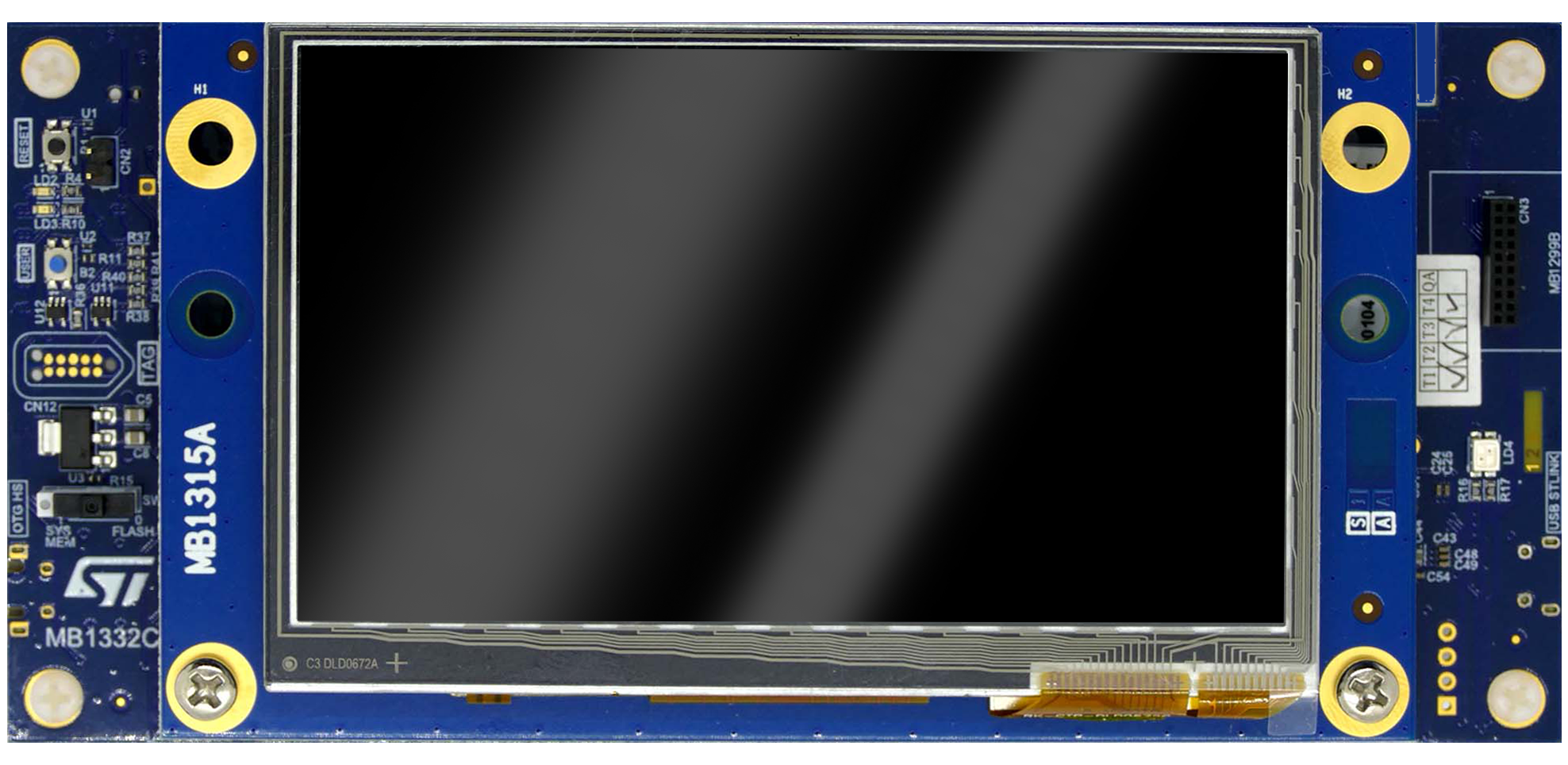
Embedded Chess on the STM32H7B3I-DK
This project is the story of two distinct engineering efforts:
- The Original Embedded STM32 Project (
team-muppet/TouchGFX-Chess): Built by Anders Lillelund Clausen and Mathias Gorm Petersen in C and C++ for the STM32H7B3I-DK microcontroller board using STMicroelectronics’ TouchGFX framework and FreeRTOS. The case study below is based on our engineering report and architectural diagrams from that hardware project. - The Browser WebAssembly Port (
Nephim/ams-chess-wasm): A separate follow-up project where I used AI-assisted development to build an SDL2 + Emscripten compatibility shim so the unmodified C++ firmware can be played live in the hardware stage above. You can read the high-level overview of how the browser port works in the companion note: Bringing STM32 TouchGFX Chess to the Browser with WebAssembly.
STM32 Toolchain & Hardware Environment
Developing a graphical application with persistent storage on the STM32H7B3I-DK (480×272 capacitive touch screen, onboard microSD slot, LEDs, and integrated ST-Link debugger) relied on four coordinated tools in the STM32 ecosystem:
- STM32CubeMX: Configures hardware peripherals, pin assignments, the
100 MHzSDMMC clock tree, and generates the underlying FreeRTOS and FATFS middleware initialization code. - TouchGFX Designer (4.24.0): Visual layout builder for the
480×272display that generates C++ base classes (ChessGameViewBase) alongside a Visual Studio simulator project for rapid desktop UI debugging. - STM32CubeIDE & STM32CubeProg: Used to write the C/C++ firmware, flash the microcontroller, and perform live in-circuit JTAG debugging with hardware breakpoints over USB ST-Link.
Architectural Evolution & Breaking from TouchGFX MVP
TouchGFX applications are designed around a Model-View-Presenter (MVP) paradigm, where hardware/state logic lives in the Model, UI widgets live in the View, and the Presenter mediates between them.
Because we started designing our domain model from an object-oriented perspective before fully adopting TouchGFX’s MVP conventions, we initially encapsulated both game rules and rendering orchestration inside our own Board and polymorphic AbstractPiece hierarchy (GetColor(), GetType(), PotentialMoves(), and PossibleMoves()). While mixing a custom OOP rendering model with a framework built around MVP created friction early on, we iteratively refactored Board as the game grew in complexity—extracting dedicated, lower-coupling classes for board state, square rendering, move selection, animations, serialization, and AI:
Entry point for TouchGFX screen lifecycle (setupScreen), 60Hz frame ticks (handleTickEvent), menu navigation, and touch coordinate dispatch.
ChessTimer tracks per-player clock ticks; Snackbar animates transient status popups (e.g. "Check!") via quintEaseIn fade callbacks.
Coordinates turn progression, piece selection, move execution, special rules (castling & promotion), AI turns, and save/load triggers across specialized subsystems:
SquareRenderer: 64 dynamic34×34boxes (last-move & check colors)BoardRenderer: Manages all 32 piece spritesPieceSelector: Highlights selected piece & valid move markers
PotentialMoves(): Raw geometric movement per piece typePossibleMoves(): Filters moves that would leave King in checkBoardState: Evaluates check, checkmate & stalemate
ChessAI: Recursive Minimax with Alpha-Beta pruningGameStateSerializer: RapidJSON ↔ FatFs SD card I/OBoardStateModel: Serializable snapshot of board & turn
1D Board Indexing (0..63), Z-Order Rendering & Snackbar Animations
To represent the 8×8 chessboard in C++, we chose a 1D array of 64 AbstractPiece* pointers (board[64]) rather than a 2D board[8][8] array, converting between (x, y) coordinates and linear indices 0..63 using integer division (/) and modulo (%) arithmetic.
On the physical 480×272 pixel TFT display, the chessboard occupies the left 272×272 pixel square (8 × 34 = 272 pixels), while the right 208×272 region houses the player clocks, turn indicator, and Save/Load controls. Because TouchGFX always renders the most recently added widget on top, the initialization order in Board::setupBoard() is critical:
Dynamically generates 64 34×34 pixel Box widgets instead of a static board image so individual squares can recolor on the fly (green for last move origin/target, red/amber for Check).
Instantiates all 32 polymorphic PieceImpl sprites above the square boxes.
Renders a light-blue highlight on the active piece, small gray markers on valid PossibleMoves() squares, and capture indicators on threatened enemy pieces.
Chains TouchGFX startFadeAnimation(255, fadeIn, quintEaseIn) → setFadeAnimationDelay(visibleDuration) → fade-out to 0 → ParentContainer.remove(Image) to display transient popups like "Check!".
Touch input is captured by a single ClickListener attached to the root Background widget. Inside , touch release events with e.getX() < 272 are integer-divided by 34 to map the (x, y) pixel coordinate directly to 0..63. Meanwhile, is invoked by TouchGFX on every display refresh (60 Hz), driving _chessTimer while a match is active.
Castling (“Rokade”) — A Case Study in Architectural Trade-Offs
In our initial design, every chess move was modeled as a single AbstractPiece moving from from to to. Implementing Castling (Rokade) served as a practical case study in how complex domain rules challenge an existing software architecture: castling moves both the King and a Rook in a single turn (relocating the King two squares left or right and jumping the Rook to the adjacent square), subject to three strict invariants:
- Movement History (
Krav 1): Neither the King nor the involved Rook may have moved previously in the match. Rather than performing runtime type checks on every move, we addedhasMoved()directly toAbstractPieceand flipped it totrueafter any completed move. - Clear Path (
Krav 2): Since only the King initiates castling in our UI, a dedicated check inKingverifies that neither the King nor the target Rook has moved and that all intermediate squares between them are empty before adding the castling target square toPossibleMoves(). - Check Traversal Validation (
Krav 3): In our architecture,BoardStateis responsible for verifying whether a move leaves the player’s King in check. For castling, this validation had to be extended soBoardStateverifies that the King is neither in check on its starting square nor passes through check on either of the two squares it traverses.
When all three conditions pass and the player selects the castling square, Board::handleClickEvent detects the castling move, relocates the King, and triggers a secondary moveRook(rookFrom, rookTo) update before refreshing SquareRenderer colors. Supporting Castling required coordinated changes across four classes (AbstractPiece, King, Board, and BoardState)—demonstrating why features like en passant and underpromotion were consciously descoped under our MoSCoW prioritization in favor of singleplayer AI and SD-card persistence.
Singleplayer Chess AI: Recursive Minimax with Alpha-Beta Pruning
To allow playing solo against the STM32H7 microcontroller instead of requiring two human players, I implemented ChessAI using a recursive Minimax decision tree optimized with Alpha-Beta pruning (configurable via the in-game difficulty slider).
At each ply down to searchDepth, the algorithm simulates all legal moves returned by getAllPossibleMoves(boardState, currentPlayer), alternating between the Maximizing player (the AI, which seeks to maximize the board evaluation score) and the Minimizing player (the human opponent, assumed to play the move that minimizes the AI’s score):
- User Move:
Board::makeMove(from, to)applies the human player's move toBoardState. - AI Dispatch:
BoardinvokesChessAI::getBestMove(state). - Tree Search:
ChessAIenumeratesgetAllPossibleMoves(color), clonesBoardState, updates King indices, and recurses intominimax(state, depth, alpha, beta, isMaximizing). - State Commit: Returns
bestMove(from, to)toBoard, which updatesBoardState, refreshesSquareRenderercolors, advances the active player, and checks for check/checkmate.
In , leaf states at depth == 0 are scored by summing material weights across all 64 squares (Pawn = 100, Knight / Bishop = 300, Rook = 500, Queen = 900, King = 10000), adding values for aiColor pieces and subtracting values for opponent pieces. During the recursive traversal in , whenever beta <= alpha, remaining sibling moves are immediately pruned (break), reducing the best-case time complexity from O(bd) to O(√bd).
Persisting Game State: RapidJSON, FatFs SDMMC1 & JTAG Debugging
To let players save a match to a physical microSD card (CN4 slot on the STM32H7B3I-DK) and resume it later, GameStateSerializer serializes the 64-square board state and active player color into a JSON string (GAME.TXT) using RapidJSON. Because RapidJSON is a header-only C++ library, we could include it cleanly across both the STM32CubeIDE ARM GCC Makefiles and the TouchGFX Visual Studio simulator project without cross-compiling external static libraries.
- Snapshots 64 squares &
currentPlayerintoBoardStateModel - Serializes/deserializes JSON via header-only RapidJSON
- In-memory fallback when debugging in Visual Studio simulator
- Reads and writes
GAME.TXTvia FatFs (f_open,f_write,f_read) - Configured across 3 FreeRTOS tasks in CubeMX
- Diagnosed
FR_DISK_ERRvia ST-Link JTAG breakpoints
SDMMC14-bit Wide Bus clocked at100 MHz(PLL1Q)GPIO PI8card-detect pin configured asInput Pull-Up- Fix: Disabled Cortex-M7
DCacheto prevent DMA cache coherency errors
Hardware Debugging Highlight: Solving FR_DISK_ERR via JTAG & Cortex-M7 DCache
Integrating the microSD reader into the multi-tasking FreeRTOS + TouchGFX project produced one of our most interesting embedded debugging challenges:
- CubeMX Peripheral Setup: Following the STM32H7B3I-DK schematic (
UM2569, Table 14), we configuredSDMMC1in SD 4-bits Wide bus mode (PC8..PC12,PD2) clocked at 100 MHz viaPLL1Q, enabled theSDMMC1global interrupt in NVIC, and mapped the hardware card-detect pin (uSD_DetectonGPIO PI8) toInput modewith an internalPull-upresistor. - Isolating the Failure with JTAG: While a standalone single-task test project could read and write to the microSD card without issue, calling the exact same FatFs code from our TouchGFX project’s
StartDefaultTasksilently failed. Stepping throughf_openinff.cusing ST-Link JTAG hardware breakpoints in STM32CubeIDE revealed thatfind_volumewas failing withFR_DISK_ERRon theSDFilestruct at0x240035e0. - Root Cause (Cortex-M7 L1 Data Cache): On the STM32H7 Cortex-M7 architecture, L1 Data Cache (
DCache) coherency conflicts withSDMMCtransfers when writing buffers from cached AXI SRAM. DisablingDCachefor SD card operations resolvedFR_DISK_ERRimmediately, allowing matches to be saved toGAME.TXTon the physical microSD card and resumed across power cycles.
Companion Note: How the Browser WebAssembly Port Works
Bringing STM32 TouchGFX Chess to the Browser with WebAssembly
Read the separate high-level write-up explaining how I used AI-assisted development to build a C++ SDL2/WebGL compatibility shim and compile our unmodified STM32 C++ chess code to WebAssembly.